
Delete Your Account

Follow the steps below to delete your account and data directly from within the game.

3 Simple Steps

1
Step 1 — Open Settings

Open Settings

On the Home Screen, tap the ⚙️ Settings icon in the top-left corner.

2
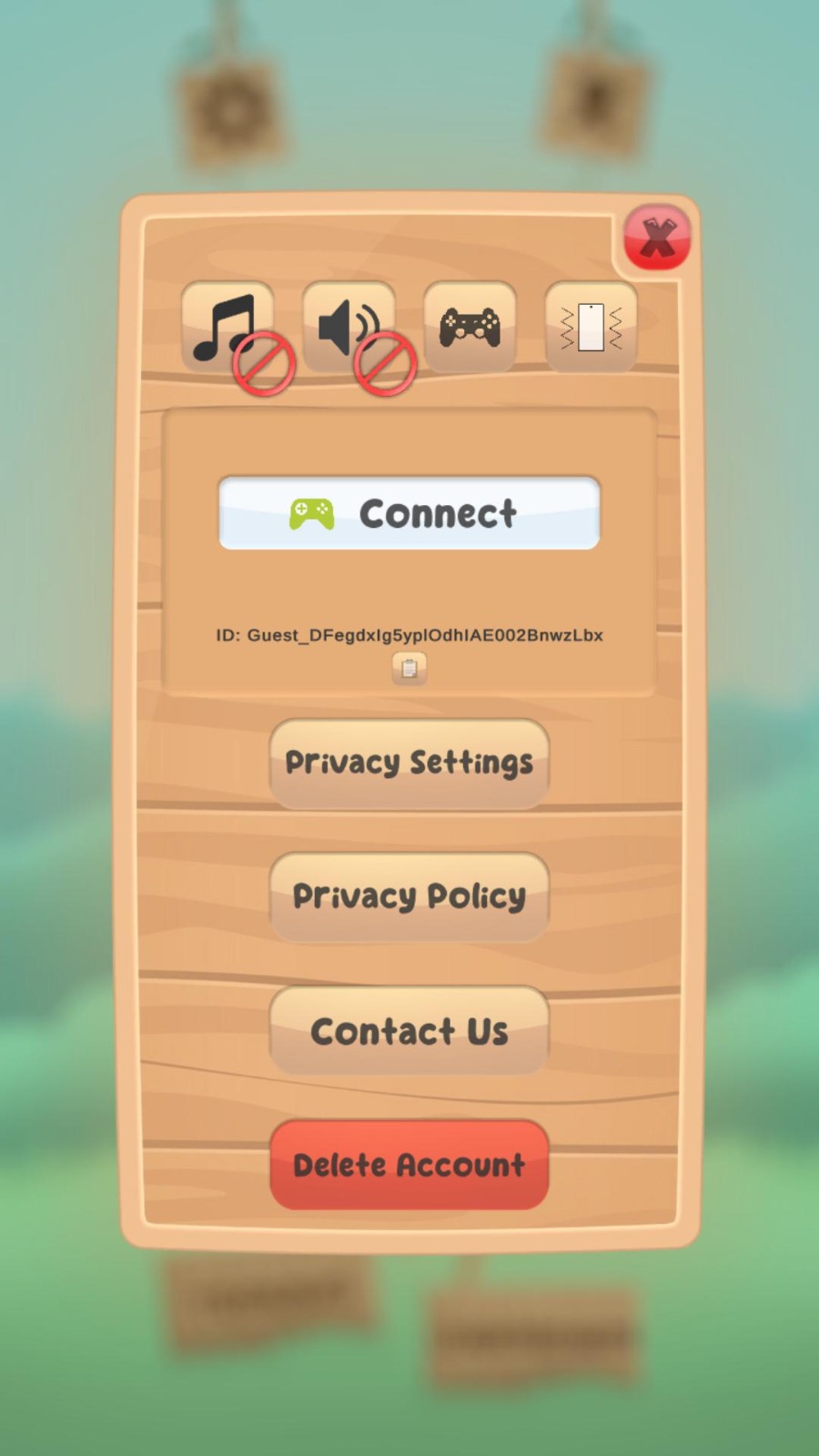
Step 2 — Tap Delete Account

Tap "Delete Account"

Scroll to the bottom of the Settings panel and tap the red Delete Account button.

3
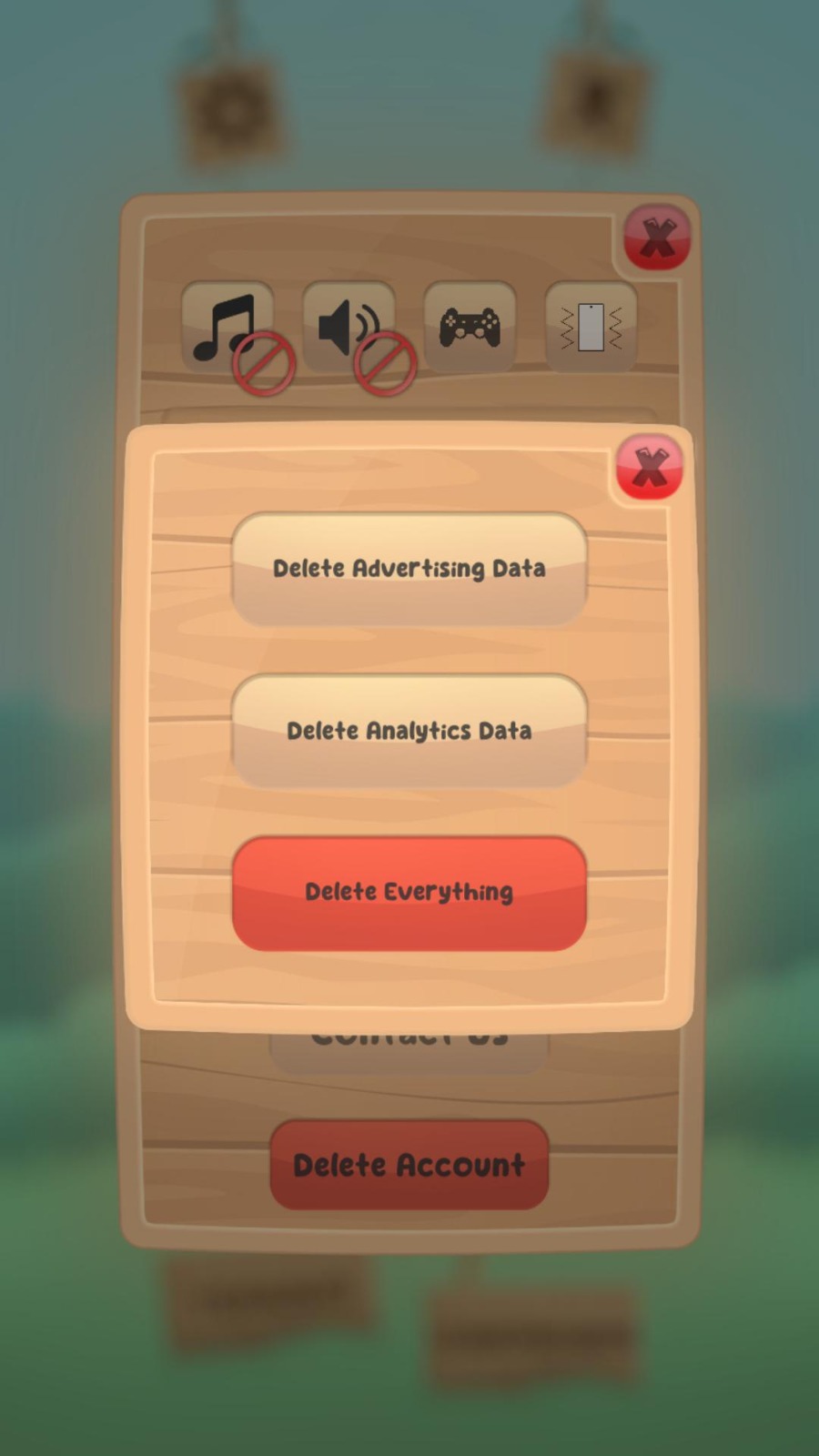
Step 3 — Choose what to delete

Choose What to Delete

Select one of the three options based on what you'd like removed:

  • 📢 Delete Advertising Data
  • 📊 Delete Analytics Data
  • 🗑️ Delete Everything
📵

Already Uninstalled the Game?

No worries. If you no longer have the game installed and still want your data deleted, just send us an email and we'll take care of it for you.